Small details that build taste in Flutter.

curated by Kamran BekirovKamran Bekirov

Show the app version where users can see it

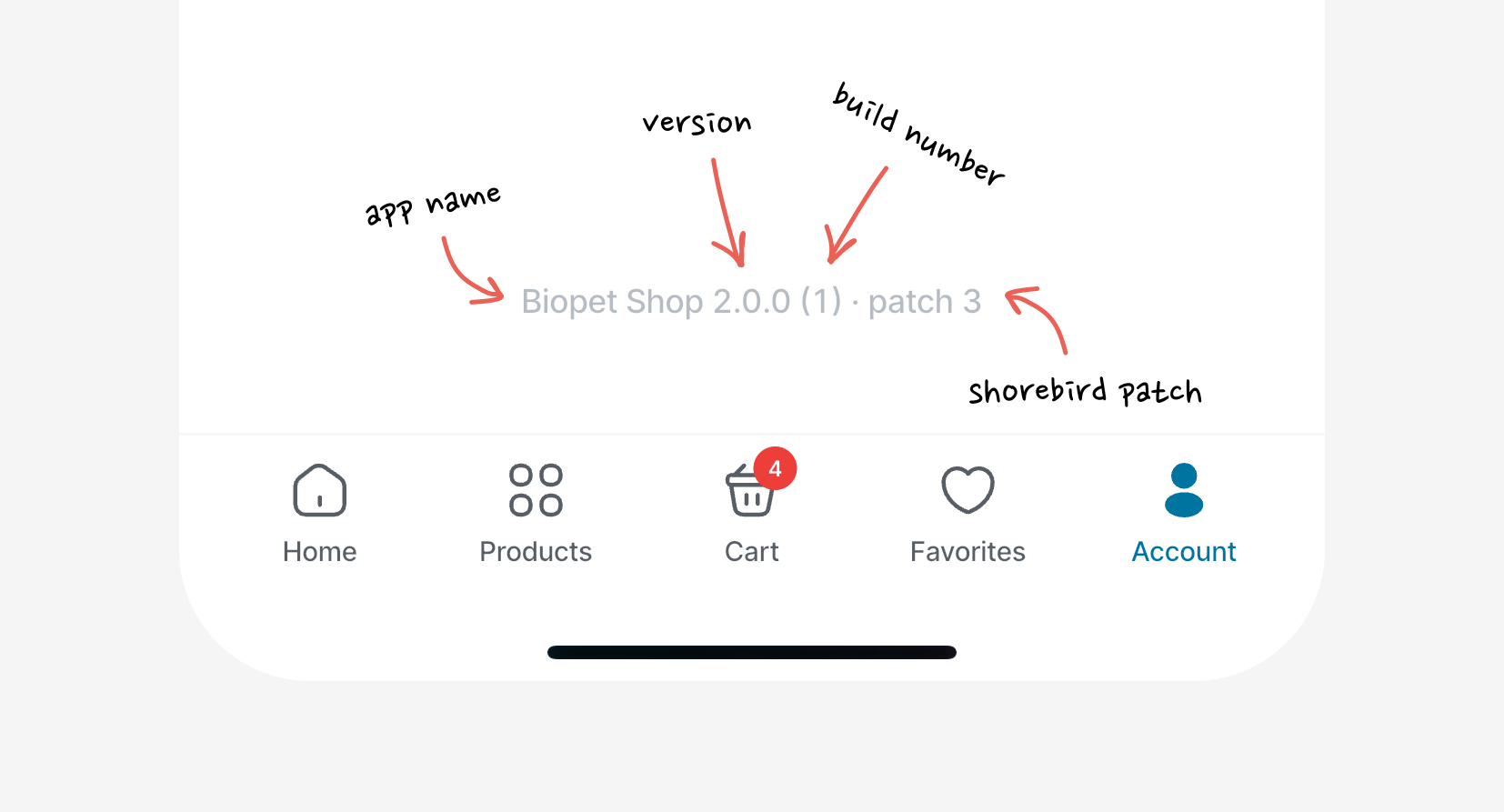
Show your app's version somewhere users can reach it, usually at the bottom of the settings/account page:

App version shown at the bottom of a settings page

It pays off in small ways. QA always knows which version they're debugging, you can ask a user which one they're on, and if you ship with Shorebird, the patch number tells you whether your patch actually landed.

Here's a drop-in widget. It reads the app name, version, build, and Shorebird patch for you, so you just paste it in and put VersionIndicator() wherever you want it:

class VersionIndicator extends StatefulWidget {
  const VersionIndicator({super.key});
  
  @override
  State<VersionIndicator> createState() => _VersionIndicatorState();
}
  
class _VersionIndicatorState extends State<VersionIndicator> {
  String? _label;
  
  @override
  void initState() {
    super.initState();
    _load();
  }
  
  Future<void> _load() async {
    final (PackageInfo info, Patch? patch) = await (
      PackageInfo.fromPlatform(),
      ShorebirdUpdater().readCurrentPatch(),
    ).wait;
  
    if (!mounted) return;
  
    final String base = '${info.appName} ${info.version} (${info.buildNumber})';
      
    setState(() {
      _label = patch != null ? '$base · patch ${patch.number}' : base;
    });
  }
  
  @override
  Widget build(BuildContext context) {
    if (_label == null) {
      return const SizedBox.shrink();
    }
  
    return Text(
      _label!,
      style: TextStyle(
        fontSize: 12,
        fontWeight: FontWeight.w500,
        fontFeatures: const [FontFeature.tabularFigures()],
        color: Colors.grey.shade500,
      ),
    );
  }
}

A few choices that matter:

  • Show the build number, not just the version.
  • No patch number means the user is on the store build.
  • Keep it dim. This line should whisper to users.
Kamran Bekirov
Kamran Bekirov

Want this level of care in your Flutter apps?

Work With Me