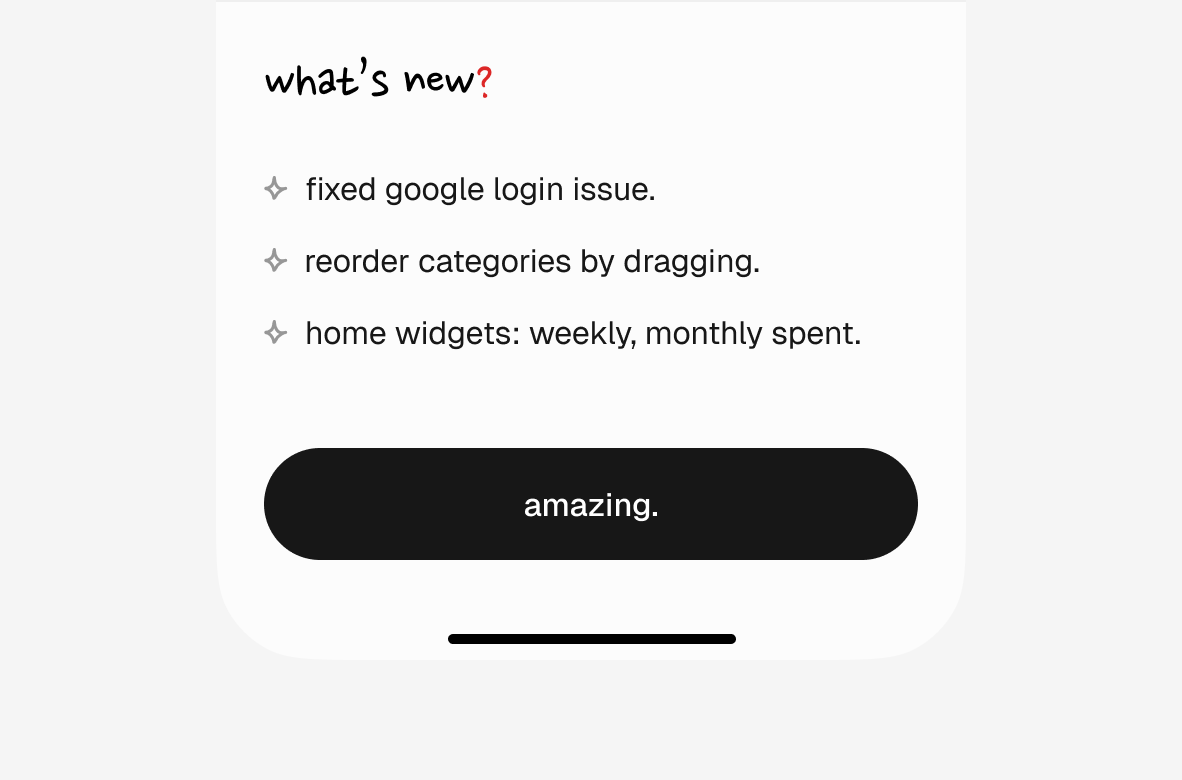
Show a changelog after every update. Without one, shipped features and fixed bugs stay in the shadow. And when changes came from user feedback, users get to see they were heard.
Start with the changelog itself. Keep it as a versioned map in Dart:
Fetch it remotely to fix copy without shipping a new build. Support all languages used in the app, and use an enum for keys to avoid typos.
Write a function that returns the changes the user hasn't seen yet. If they jump from 1.2.0 to 1.5.0, show everything in between, not just the latest. Use pub_semver to compare versions.
List<String> unseenChanges({ required String lastSeen, required String current, required Language language,}) { final Version lastSeenVersion = Version.parse(lastSeen); final Version currentVersion = Version.parse(current); final List<String> result = []; for (final entry in _changelog.entries) { final Version entryVersion = Version.parse(entry.key); if (entryVersion > lastSeenVersion && entryVersion <= currentVersion) { final changes = entry.value[language]; if (changes != null) result.addAll(changes); } } return result;}
Now track what the user has seen. Use package_info_plus to read the current version and shared_preferences to persist the last seen version. Keep _currentVersion as a field so dismiss() can read it later. Any state management works; this example uses Cubit.
class ChangelogCubit extends Cubit<List<String>?> { String? _currentVersion; ChangelogCubit() : super(null); Future<void> initialize({required Language language}) async { final String current = (await PackageInfo.fromPlatform()).version; _currentVersion = current; final SharedPreferences prefs = await SharedPreferences.getInstance(); final String? lastSeen = prefs.getString('last_seen_version'); // First install — nothing to show, save and move on if (lastSeen == null) { await prefs.setString('last_seen_version', current); return; } // Already up to date if (lastSeen == current) return; final List<String> changes = unseenChanges( lastSeen: lastSeen, current: current, language: language, ); if (changes.isEmpty) { await prefs.setString('last_seen_version', current); return; } emit(changes); }}
Don't show on first install. There's nothing to catch up on. Save the current version and skip.
Call dismiss() to mark the version as seen. Run it the moment the changelog appears, or wire it to a button for manual dismissal:
Future<void> dismiss() async { final String? version = _currentVersion; if (version != null) { final SharedPreferences prefs = await SharedPreferences.getInstance(); await prefs.setString('last_seen_version', version); } emit(null);}
Initialize it on app open, and when the state list is not null, show the changelog in a modal or popup.
As a creative example, I'm morphing the bottom bar into the changelog in expen.app: