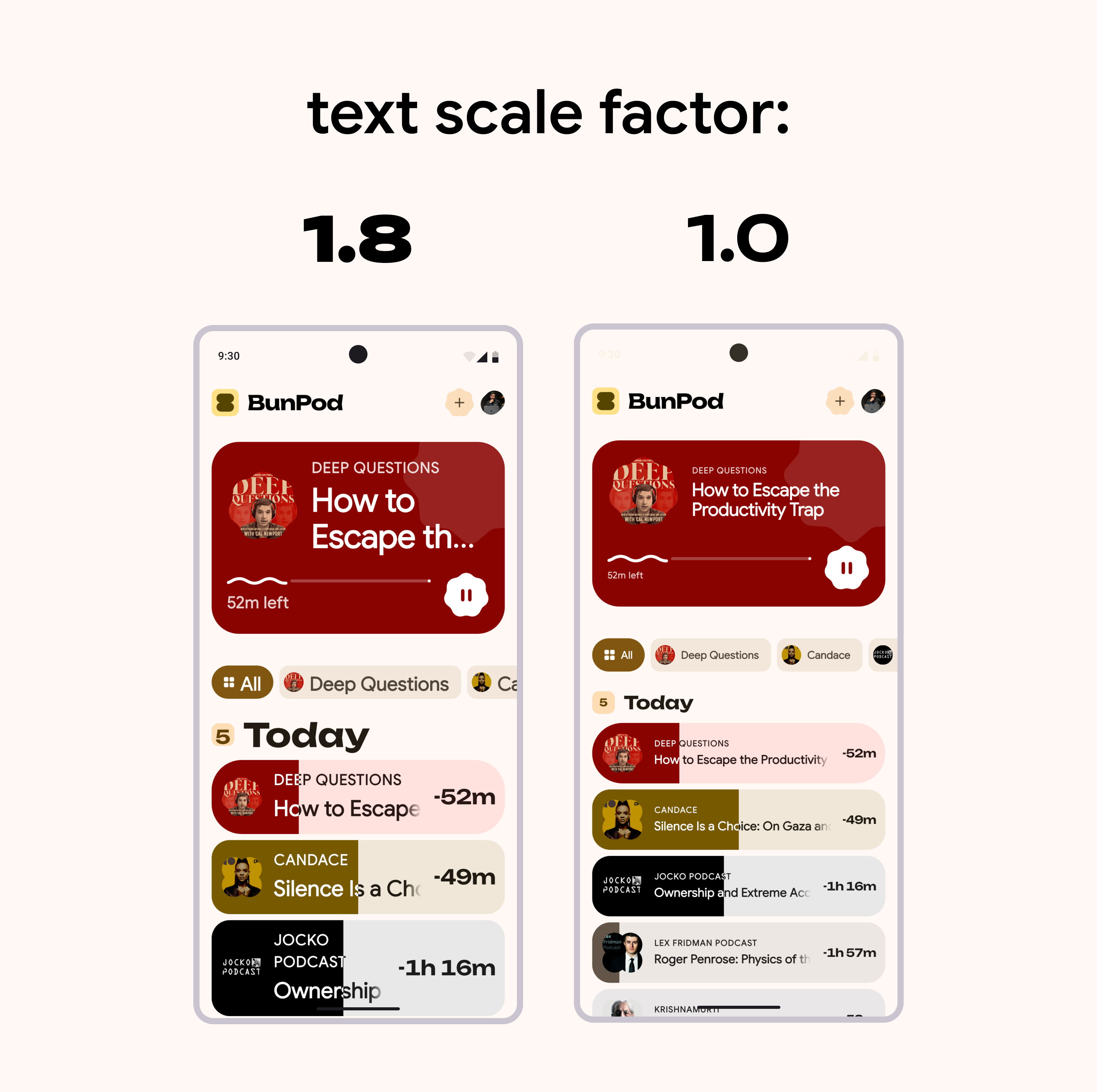
Some users prefer increased text size on their devices because of accessibility needs or difficulty reading small text.
That can cause layout overflows in your Flutter apps.
Example from BunPod . On the left the app is running on a device with x1.8 text scale, on the right is with x1.0:
To fix it override MediaQuery.textScaler, but don't ignore user's preference completely, just it limit to x1.1 at max:
MaterialApp ( ... builder : (context, child) { final MediaQueryData mediaQueryData = MediaQuery . of (context); return MediaQuery ( data : mediaQueryData. copyWith ( textScaler : mediaQueryData.textScaler. clamp ( maxScaleFactor : 1.1 , ), ), child : child ! , ); }, ... ); Most apps can handle x1.1 scaling without layout breaks. It's not a magical number. So test for your app and either adapt to it, or limit to x1.0 only if you have to.